> ## Documentation Index
> Fetch the complete documentation index at: https://docs.silvana.one/llms.txt
> Use this file to discover all available pages before exploring further.
# How to Launch Your First Agent
On Silvana, agents can apply defined logic to asset operations, coordinate settlement, and automate multi-step financial processes while remaining within configured execution rules.
This guide shows how to take an agent from initial setup to a working Silvana workflow, whether you start from an existing implementation or adapt one to your own use case.
Start with an existing implementation from [Agent Space](https://app.silvana.one/agents).
Open Agent Space and choose an agent that matches your workflow.
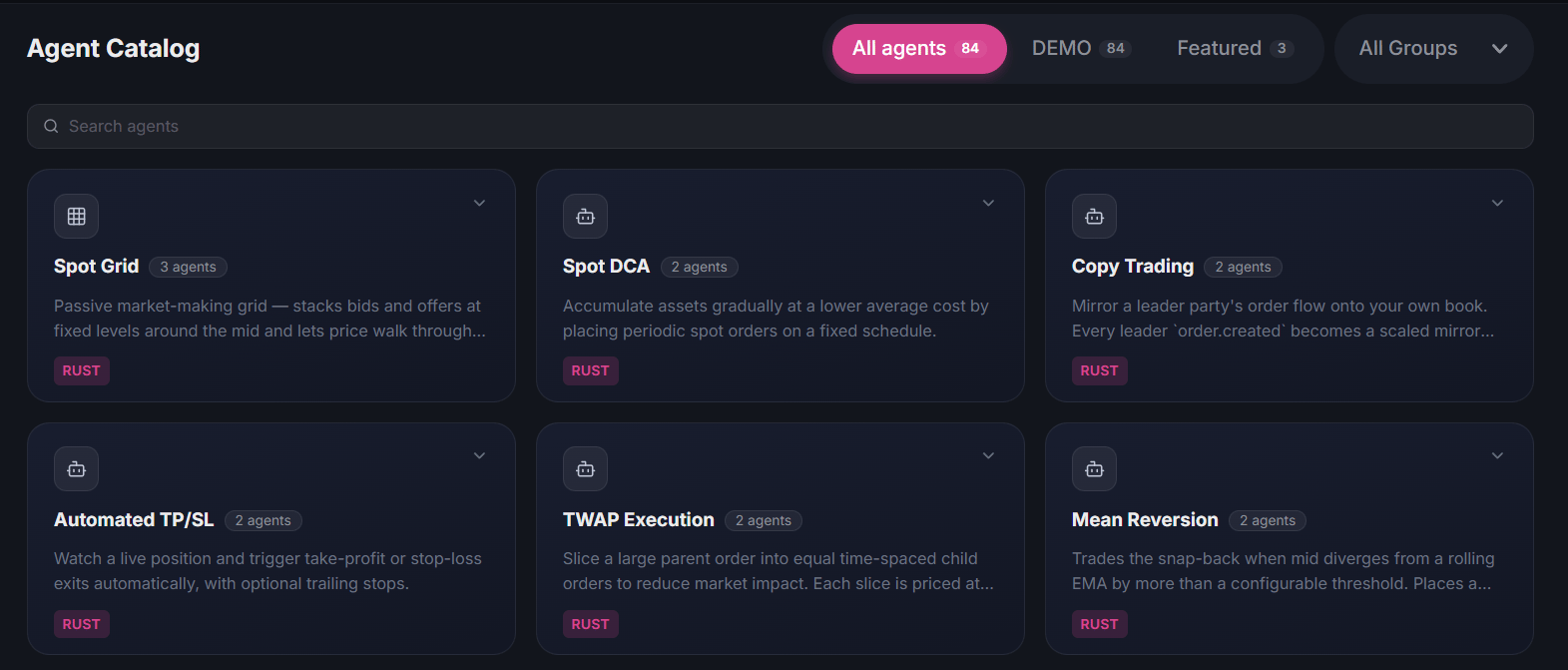 Open the agent details, review the available implementation, and test the demo when provided.
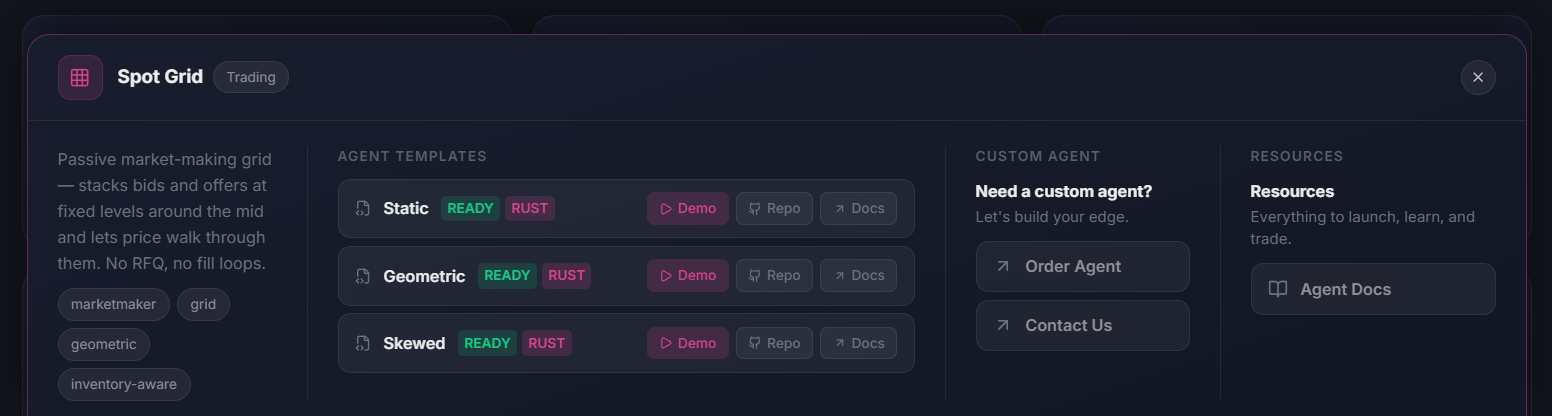 Copy the implementation and adjust its configuration or logic for your use case.
Once ready, run the agent on your infrastructure.
Use Silvana Book Agent as a starting point, or extend its Rust libraries to build custom agent logic.
Before continuing, complete [onboarding](/guides/quickstart/onboarding). The guide covers installing `cloud-agent`, onboarding your agent, and checking the initial setup.
Onboarding creates a starter `agent.toml` automatically.
Update it with the markets and runtime settings your workflow needs.
For custom implementations, you can use the Silvana Book Agent Rust crates and extend the agent logic for your use case.
For the long-running Silvana Book Agent mode, use `--dry-run` to test the configuration without signing or executing transactions:
```bash theme={null}
cloud-agent agent --dry-run
```
Check that the agent loads the expected configuration and processes the workflow as intended before enabling execution.
Once the configuration is ready, start the long-running agent:
```bash theme={null}
cloud-agent agent
```
In this mode, Silvana Book Agent places grid orders on configured markets, responds to incoming RFQs, and handles DvP settlement.
If you built a custom agent with the SDK, run your implementation using its own entry point.
For additional configuration options, CLI flags, and implementation details, see the Silvana Book Agent [README](https://github.com/SilvanaOne/silvana-book-agent/blob/main/README.md).
Copy the implementation and adjust its configuration or logic for your use case.
Once ready, run the agent on your infrastructure.
Use Silvana Book Agent as a starting point, or extend its Rust libraries to build custom agent logic.
Before continuing, complete [onboarding](/guides/quickstart/onboarding). The guide covers installing `cloud-agent`, onboarding your agent, and checking the initial setup.
Onboarding creates a starter `agent.toml` automatically.
Update it with the markets and runtime settings your workflow needs.
For custom implementations, you can use the Silvana Book Agent Rust crates and extend the agent logic for your use case.
For the long-running Silvana Book Agent mode, use `--dry-run` to test the configuration without signing or executing transactions:
```bash theme={null}
cloud-agent agent --dry-run
```
Check that the agent loads the expected configuration and processes the workflow as intended before enabling execution.
Once the configuration is ready, start the long-running agent:
```bash theme={null}
cloud-agent agent
```
In this mode, Silvana Book Agent places grid orders on configured markets, responds to incoming RFQs, and handles DvP settlement.
If you built a custom agent with the SDK, run your implementation using its own entry point.
For additional configuration options, CLI flags, and implementation details, see the Silvana Book Agent [README](https://github.com/SilvanaOne/silvana-book-agent/blob/main/README.md).